Troubleshooting
Cannot Connect to iPhone
Are you connected to WiFi?
iPhone and PC must be connected using the same WiFi router.
Have you selected the appropriate network?
There are multiple options when connecting to iPhone. If you're unsure which network is correct, try each one. Prioritize selecting networks with 192.168.*.*.
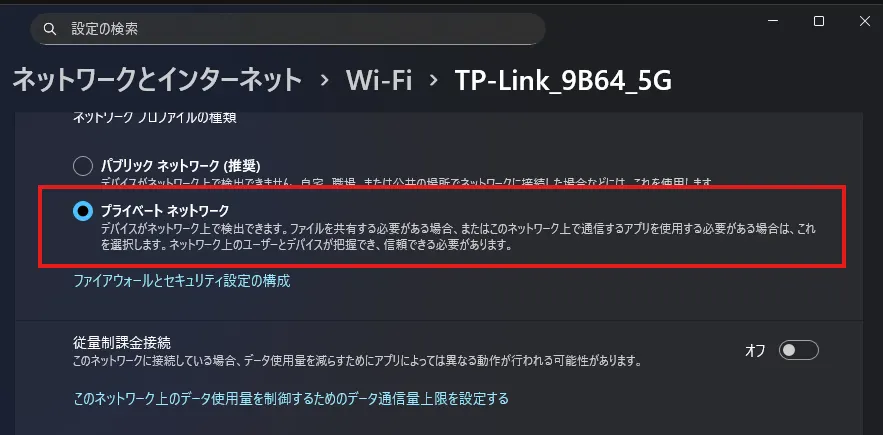
Is it set to Private Network?
PC must be set to private network to connect with iPhone.
You can change this from Windows Settings > Network & Internet > Wi-Fi > Your Network.
If you want to connect using Public Network
If you cannot select private network due to circumstances, you need to configure Windows Firewall settings. Allow ports 3002, 9005, and 9006 in inbound rules.
VRM
Mouth doesn't move
If not compatible with PerfectSync, the blend shape corresponding to mouth movement is aa. Models without this blend shape will not move.
(Support planned)
Expression doesn't change
Check the expression settings of your VRM file. Verify that BlendShape settings are correctly configured.