WeightAdjustmentData
Overview
Adjusts the weight of individual blend shapes controlled by ARKit. Used for fine-tuning facial movements such as suppressing mouth movement or making eyelids respond more quickly.
Parameters
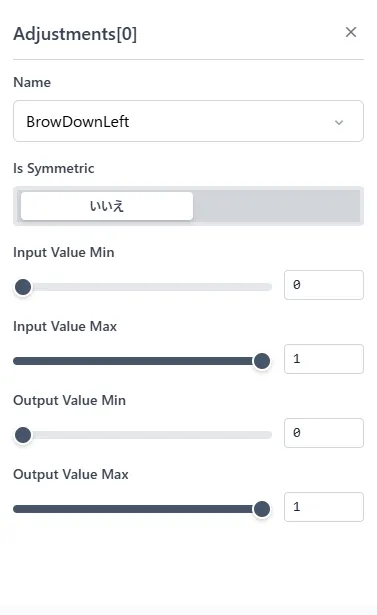
Name
Specifies the ARKitBlendShape location name to apply this adjustment.
Is Symmetric
When enabled, the same adjustment parameters are applied to both sides. Setting only one side applies the same adjustment to the other.
Input Value Min
Indicates the minimum input value. Values smaller than this are truncated.
Input Value Max
Indicates the maximum input value. Values larger than this are truncated.
Output Value Min
Indicates the minimum output value. Values smaller than this are truncated.
Output Value Max
Indicates the maximum output value. Values larger than this are truncated.
Input and Output
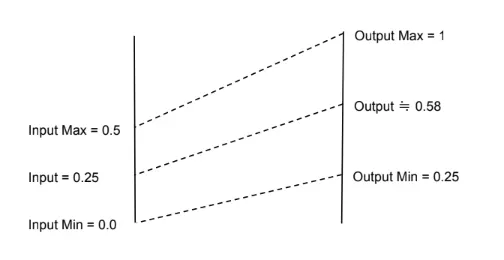
Correction is applied so that input values become Output Value Min at Input Value Min and Output Value Max at Input Value Max. Values are also clamped by Output Value Max and Output Value Min. Values cannot exceed this range.
Example: With Input Value Min = 0, Input Value Max = 0.5, Output Value Min = 0.25, Output Value Max = 1, an input of 0.25 outputs approximately 0.58.